Does Grok Have Reverse Image Search? What It Can and Cannot Do
Grok can analyze uploaded images, but it is not a Google Lens-style reverse image search index. See what works, what fails, and the best workaround.
Short answer: no, Grok does not have reverse image search in the same way Google Lens does. It can analyze images you upload and reason about what is inside them, but it does not maintain a public image index designed to find where that exact picture appears online.
Quick Answer
| Question | Answer |
|---|---|
| Can Grok find exact copies of an image across the web? | Not like Google Lens, TinEye, or a classic reverse image index |
| Can Grok analyze an uploaded image? | Yes, it can describe and reason about visual content |
| Can Grok help with location clues? | Often yes, especially for unique photos or screenshots |
| Best workaround for image location? | Use a location-first tool that turns visual reasoning into a place hypothesis |
That distinction matters. When people search "does Grok have reverse image search", they usually mean one of two things:
- Can Grok find matching copies of an image on the web?
- Can Grok look at an image and help figure out what or where it shows?
For the first job, the answer is mostly no. For the second job, the answer is yes, often surprisingly well.
With the launch of Grok 4.20 on March 9, 2026, the more useful question became: what can Grok actually do with images today, and where does it still need a specialized tool?
If you are really comparing products rather than concepts, the most relevant pages to read alongside this are Google Lens alternative for indexed lookup behavior and Reverse Image Search for Location for location-first workflows.
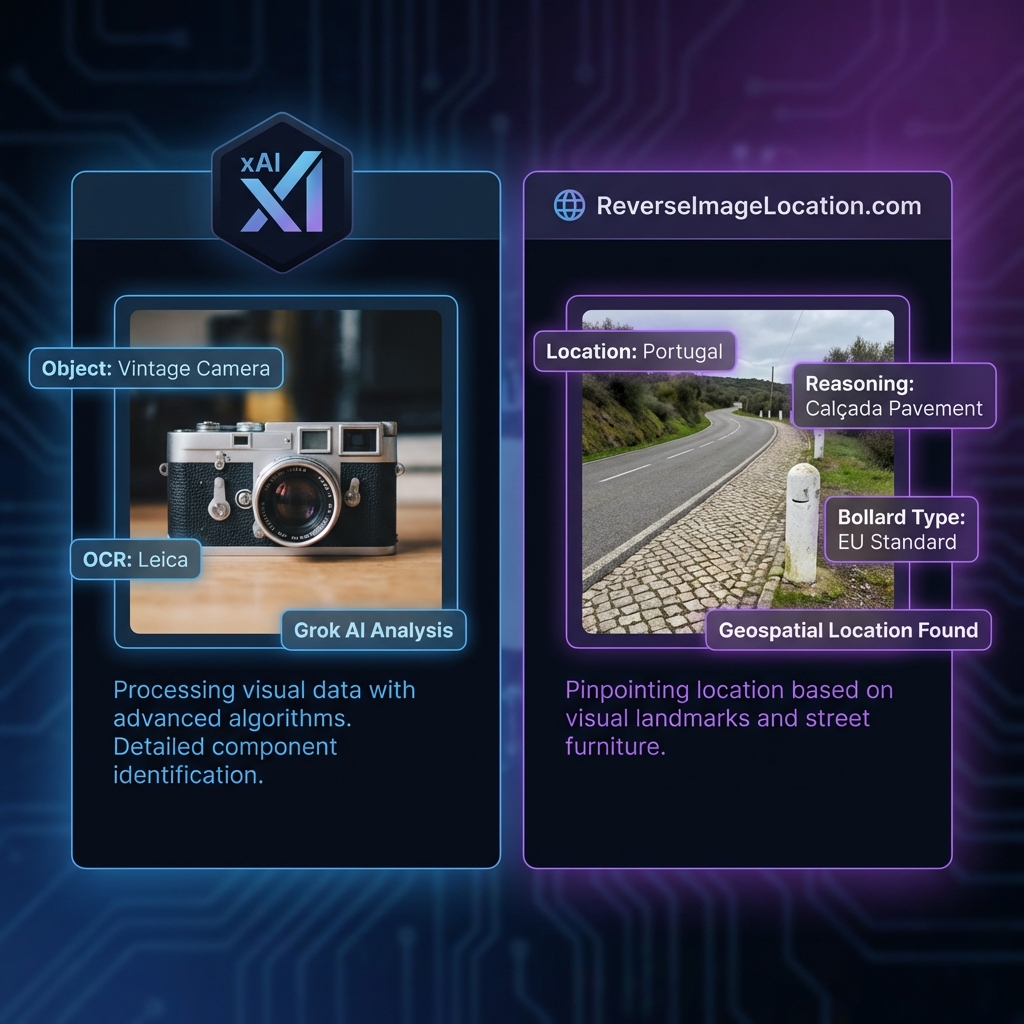
The 2026 Verdict
Grok can analyze uploaded images, but it is not a standalone reverse image search engine. If you need indexed web matches, use a search engine. If you need reasoning on a unique image, Grok is far more useful.
1. What Grok Can Actually Do with Images
If you upload an image to Grok, it can do several things well:
- describe what is visible in the image
- infer context from objects, weather, terrain, and architecture
- compare likely explanations for what the image shows
- help reason about a possible location when the photo is unique
That makes Grok useful for:
- screenshots that have no metadata
- OSINT-style image analysis
- geo reasoning on roads, landscapes, and infrastructure
- narrowing down a shortlist when there is no indexed match online
In other words, Grok is often good at image analysis. It is not the same thing as classic reverse image search.
2. What Grok Cannot Do Like Google Lens
This is where most searchers get confused.
When people ask "does Grok have reverse image search?", they usually mean:
- can it find identical copies of this image on the web?
- can it show me pages where this image has appeared?
- can it work like Google Lens, TinEye, or a standard image index?
For those tasks, Grok is still limited. It does not operate like a public reverse image index. It is not built around crawling the web for identical or near-identical copies of every image.
So the practical answer is:
- For indexed match-finding: mostly no
- For reasoning about a newly uploaded image: yes
That is why some users are disappointed when they expect a Google Lens replacement, and others are impressed when they use Grok for analysis instead of lookup.
3. Best Workaround: Use Grok for Reasoning, Not for Lookup
The best workflow in 2026 is usually:
- Use a classic reverse image search tool if your goal is to find duplicate copies online.
- Use Grok if your goal is to interpret what the image means.
- Use a specialized geolocation tool if you need actual location hypotheses, evidence, and coordinates.
This split matters most for:
- unique photos
- cropped screenshots
- social media images with stripped metadata
- rural scenes with no famous landmark
That is exactly where reasoning models can outperform index-based tools. A standard search engine may return no useful match. Grok can still help explain the environment. A specialized geolocation workflow can then turn that explanation into a place estimate.
That specialized step is exactly where AI Location Finder and Where Was This Photo Taken fit. They are better matches when the end goal is a location hypothesis rather than a generic image description.
A Better Mental Model
Think of Grok as an image reasoning model, not a web-scale duplicate finder. That framing makes its strengths and weaknesses much easier to understand.
4. Why We Use Grok Inside Our Geolocation Workflow
This is the point where our own integration becomes relevant.
In the world of OSINT and GeoGuessr, traditional tools like Google Lens are often just pattern matchers. They look for an image that exists elsewhere. But what if your photo is brand new?
This is where Grok 4.20's environmental reasoning becomes useful. We use it as the analysis layer inside a broader pipeline:
Layer 1: Grok Vision Analysis
Grok analyzes the image and identifies visual signals that matter: architecture, road furniture, terrain, vegetation, weather, and country-specific clues.
Layer 2: Spatial Matching
Those clues are mapped against our own location data, metadata, and geolocation patterns.
Layer 3: Verification
A final pass checks whether the proposed location is physically consistent with everything visible in the frame.
For us, Grok is not the whole reverse image search engine. It is the reasoning engine inside a more specialized location workflow.
If you want the conceptual version of that stack, read AI Geolocation. It explains why reasoning models help on unique images even when a public image index has nothing useful to return.
5. Real-World Example
To verify this workflow, we tested a flat desert-road image that would usually fail in a normal indexed image search.
- Scene: a featureless desert road with almost no obvious landmark
- Grok-style analysis: the dirt hue, road barrier structure, and environmental context pointed toward Jordan
- Final result: the image was narrowed to the correct area after a deeper reasoning pass
This is the kind of case where Grok helps most: not by finding the same file somewhere online, but by helping explain what the scene is telling you.
Conclusion
If you want the shortest answer possible, it is this:
- Does Grok have reverse image search like Google Lens? No.
- Can Grok analyze images and help reason about them? Yes.
- Can that be useful for geolocation? Absolutely, especially on unique or non-indexed images.
Need a Reverse Image Search That Can Actually Reason?
Use a location-first workflow built for screenshots, stripped-metadata images, and scenes that do not have a clean indexed match online.
Frequently Asked Questions
Does Grok have reverse image search?
Not in the same sense as Google Lens or TinEye. Grok can analyze images you upload, but it does not function as a standalone public reverse image search index for finding matching copies across the web.
How do I use Grok for geolocation?
You can upload a photo to Grok and ask it to "Analyze this location for OSINT markers." It will identify vegetation, architecture, and road markings. For the best results, use our specialized GeoSolver integration which connects Grok's reasoning to real-world coordinates.
Is Grok better than Google Lens for finding locations?
Grok is often better for unique, non-indexed photos because it can reason about what is visible in the scene. Google Lens is better when your goal is to find products, landmarks, or images that already exist elsewhere online.
Tools, Guides, and Articles for This Topic
Move from reading into action with the most relevant solver pages, learnable meta guides, and supporting articles.
Grok is not a classic reverse image search index. Use Grok-style image reasoning to analyze screenshots, unique photos, and hard location cases.
Use reverse image search for location when Google Lens, TinEye, or EXIF fails. Upload a photo and find where it was taken from visual clues.
Looking for a TinEye alternative? Use AI reverse search that explains where a picture was likely taken, works on unique images, and goes beyond zero-match pixel search.
Master the most reliable meta in Geo Games. A complete guide to identifying countries by their traffic bollards.
Master Google Street View car meta for GeoGuessr. Identify countries by snorkels, roof racks, tape, mirrors, antennas, camera generations, and car blur.
Compare free Picarta alternatives for photo geolocation, screenshots, image location finding, reasoning quality, and pricing.
A deep dive comparing ReverseImageLocation with Picarta, GeoSpy, and ChatGPT to see which tool is best for Geo Game players who want to learn, not just win.